Take Control of Your
Disk Space. For Free.
DiskGOup is an open-source disk space analyzer and duplicate finder with a desktop GUI and a scriptable CLI. It shows you exactly where your space went — by folder, by file type, by age and by content — and cleans up only what you approve.
- macOS · Windows · Linux
- one binary, one index
- 9 views
- from a single scan
- SHA-256
- duplicates by content
- MIT
- free, forever
What it does
A free, open-source disk analyzer that does the whole job
The commercial tools in this space do it well — but they are closed-source, each one targets a single platform, and every one of them is GUI-only. DiskGOup does the same job with the source open and a CLI at the centre.
One scan, nine views
The folder browser, treemap, sunburst, flame graph, bubbles, mind map, top sizes and age map are all projections of the same result — the disk is walked once.
Duplicates by content
Equal names are not proof. Every candidate is verified with SHA-256 and an exact byte comparison, and the extra copies are grouped for review.
Nothing is deleted on the spot
A cleanup is staged, reviewed, validated and confirmed before anything moves — and then it goes to the recycle bin, not to oblivion.
Scriptable from the first call
Every command speaks JSON. Pipe a scan into jq, feed the index to your own scripts, and drive the desktop app from the same CLI.
The same on three platforms
macOS, Windows and Linux get the same capabilities, the same commands and the same index format. The tool on your laptop is the tool on your desktop.
A permanent, reusable index
Scans are kept in a SQLite index. Open last week’s scan today — it is still there, and it is still accurate.
Advanced search, archive preview, application inventory, game library discovery, a live monitor, snapshots with a seven-day diff, and a weekly HTML report — all in the same window, all reading the same scan.
Live demo
Explore DiskGOup, right here.
This is the real desktop app, running in your browser. Click into a folder, switch between the eight views, and walk through all nine sections — search, archives, duplicates, applications, games, monitor, snapshots and reports. The whole window works.
The demo runs on a synthetic sample disk — a made-up folder tree, a made-up inventory of applications and a made-up game library. Every number you see was produced by the real DiskGOup CLI scanning it. Nothing here reads, writes or deletes anything on your machine.
The window
Nine sections, one scan
Explore, Search, Archives, Duplicates, Applications, Games, Monitor, Snapshots and Reports — all reading the same result set instead of touching the disk again.
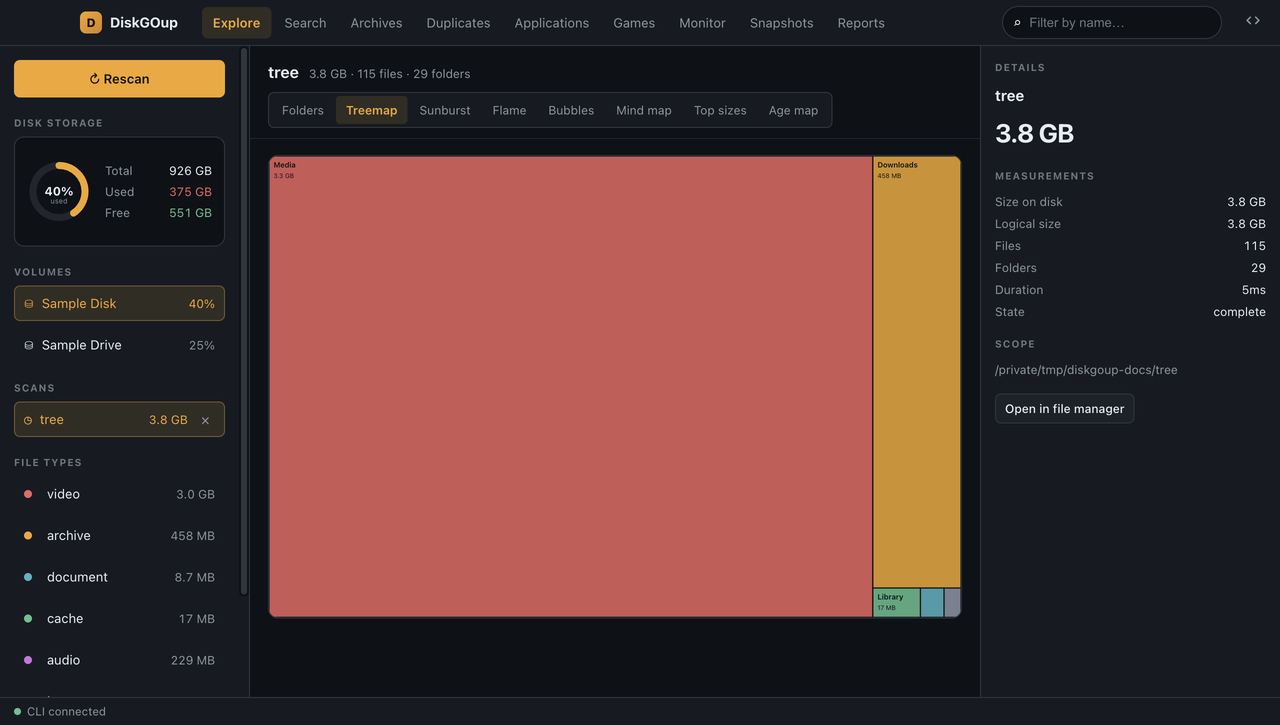
Treemap
The whole disk as one picture — folders drawn to scale, coloured by what is inside them.
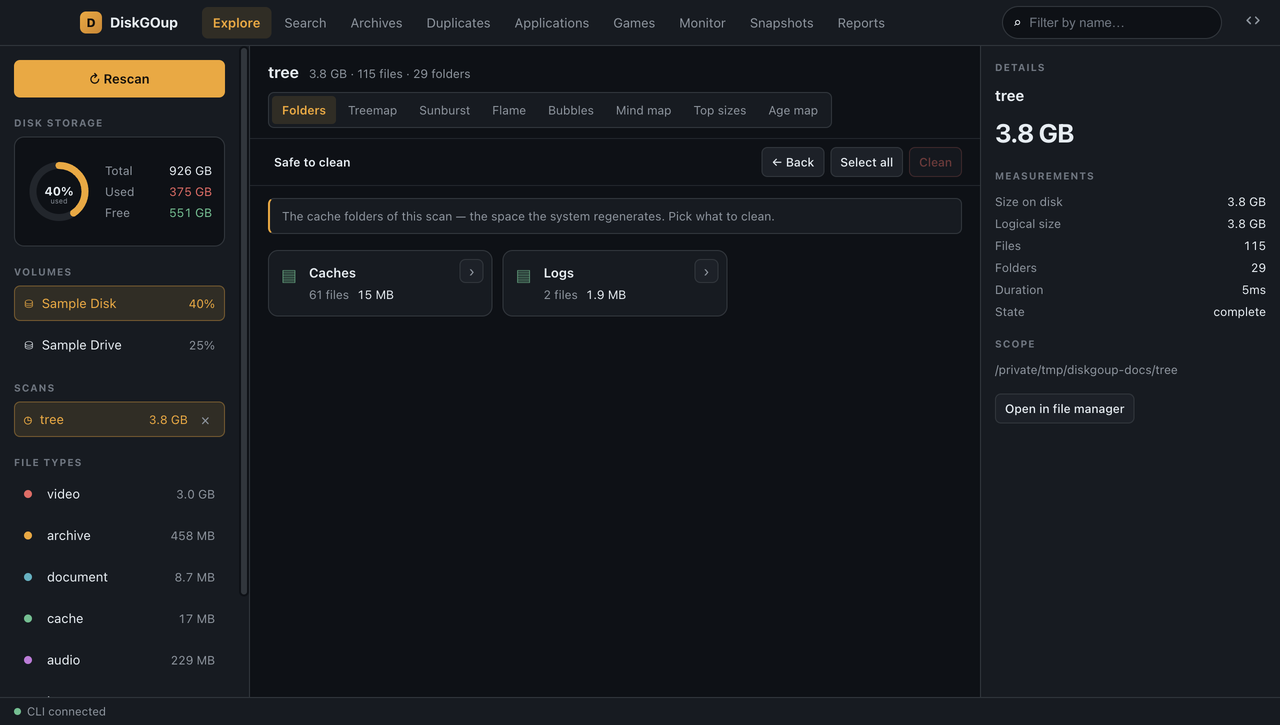
Safe to clean
The caches and logs the operating system regenerates, staged for review instead of deleted on the spot.
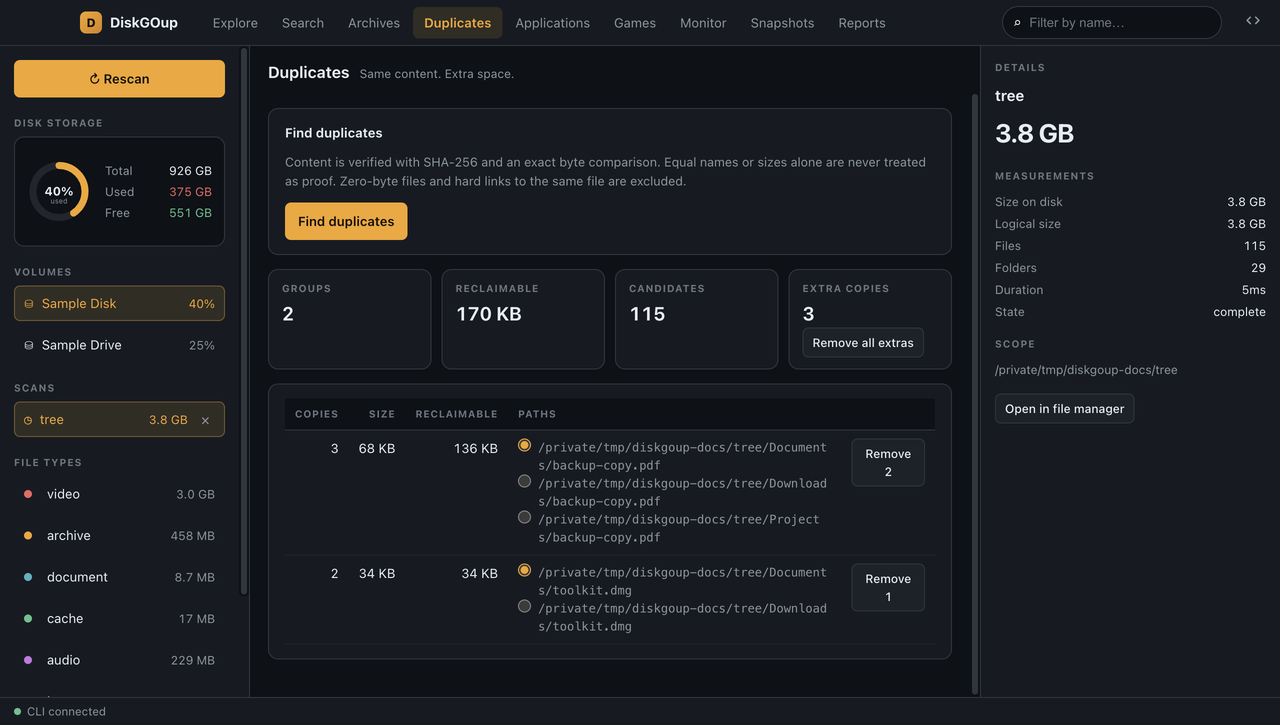
Duplicates
Identical content found by SHA-256 and an exact byte compare, with the extra copies grouped.
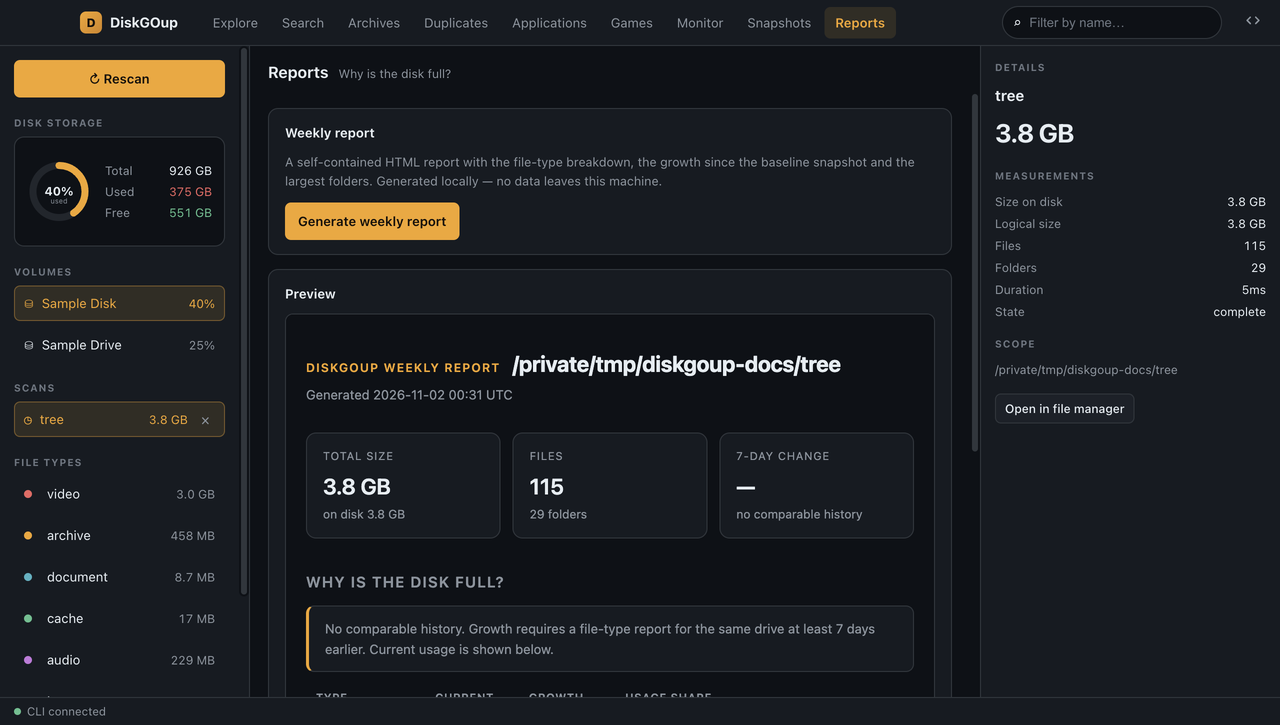
Reports
A weekly HTML report and a file-type CSV — the numbers, written down for you.
The CLI is the product
The desktop app is a front-end for the command line
DiskGOup starts diskgoup serve as a child process and asks it questions over JSON-RPC. Every number in the window was measured by the same Python code the shell uses — so if you can do it in the app, you can do it in a script, and the other way round.
Why it is free
The same job, without the lock-in
Disk-space analysers are a mature — mostly paid — market. The commercial tools do a good job, but they are closed-source, each one targets a single platform, and every one of them is GUI-only. This is the same work, open and cross-platform.
| The usual tools | DiskGOup | |
|---|---|---|
| Price | Paid, per platform | Free, MIT licensed |
| Platforms | One operating system each | macOS, Windows and Linux |
| Automation | Point and click only | A scriptable CLI, JSON everywhere |
| Source | Closed | Open, and built in the open |
| Cleanup | A one-click delete button | Staged, reviewed, then to the recycle bin |
| Your data | On their machine, in their format | In a SQLite index you own |
Downloads
Take it with you
Every release ships a standalone CLI binary and the desktop app, built by the project’s own CI. The CLI needs no Python on your machine, and the app bundles the very same binary — so it is self-contained too. Each platform also gets a portable build: no installer, no admin rights — unpack it and run it from any folder, or from a USB stick.
macOS
Unpack it and run the app from wherever you like — a folder, a USB stick.
Windows
Unpack it and run the app from wherever you like — a folder, a USB stick.
Linux
Unpack it and run the app from wherever you like — a folder, a USB stick.
The macOS and Windows builds are not code-signed
The project publishes no signing certificate, so Gatekeeper and SmartScreen warn on the first launch. The warning is the operating system asking, not the app failing — and whether to allow an unsigned build on your own machine is your decision, and your responsibility. On macOS, right-click the app in the mounted .dmg and choose Open; on Windows, choose More info and then Run anyway. The Linux AppImage is unaffected. The portable copies are asked about in exactly the same way — the check follows the code, not the file it arrives in.
If you would rather not allow an unsigned binary at all, two other roads lead to the same program: verify the download against the SHA-256 checksums shipped with every release, or build it from the source. Both are one command away — the downloads page has the details.
Questions
The things people ask first
Something else on your mind? The documentation goes deeper — and the source is open, so you can read the answers in the code.
Read the quick start →